The whole field. In one intelligent platform.
Meydara manages the full sales and execution cycle—from territories and visits to customers, orders, collections, distribution, shelf execution and reports—with AI and an Arabic voice assistant at the heart of the experience.
The next step is clear
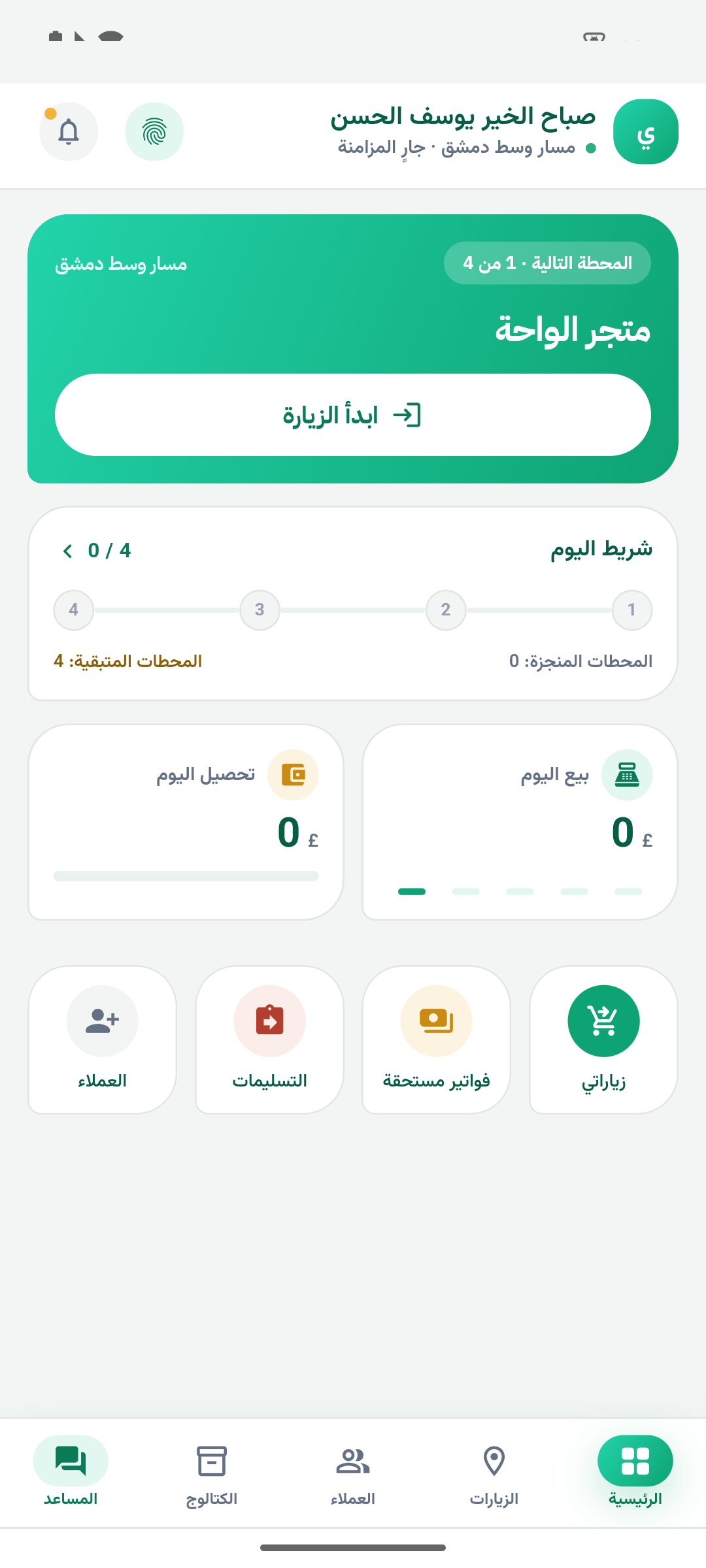
More than a sales app. A complete operating system for work outside the office.
Meydara combines field sales, distribution and retail execution in one Arabic experience powered by AI.
Mobile CRM
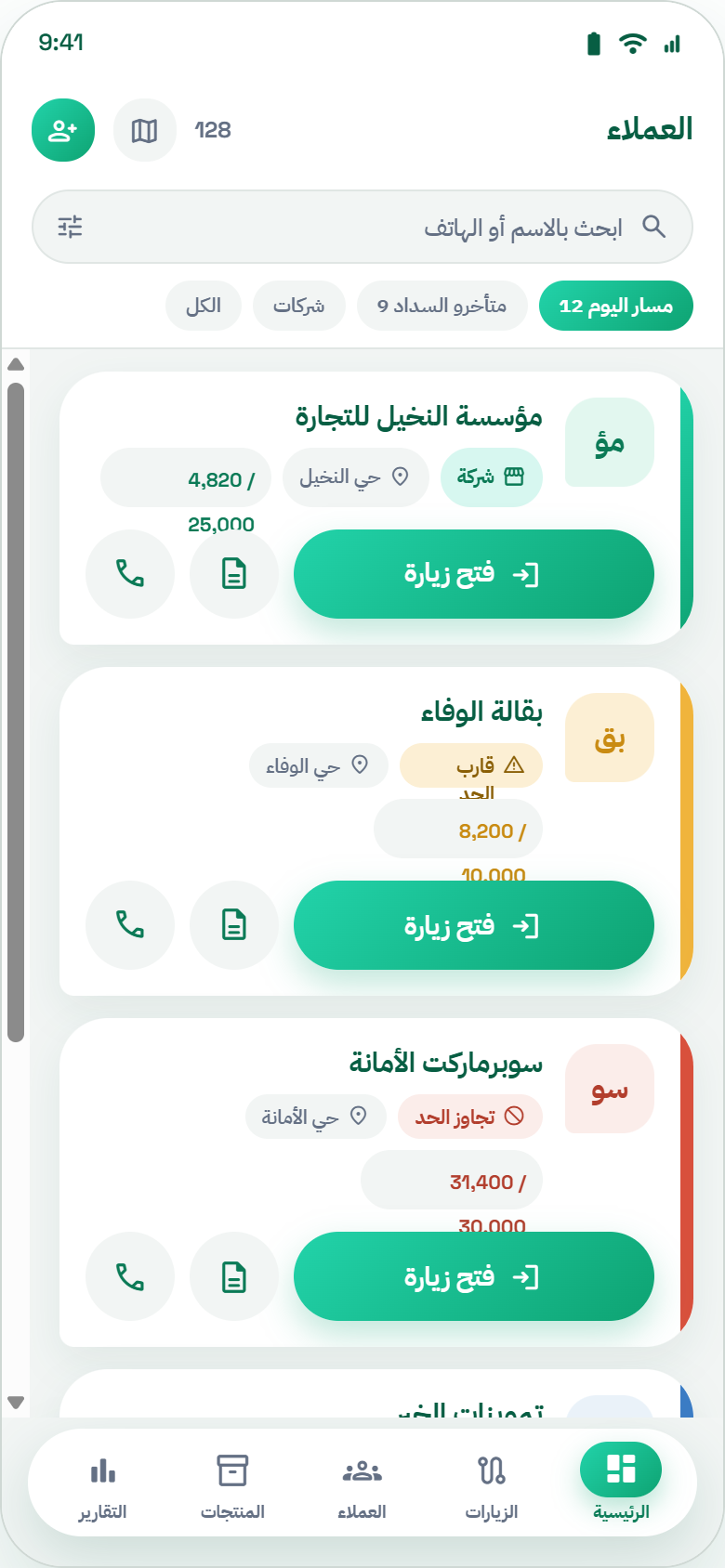
A 360° customer profile with history, balances, opportunities and the next action.
Routes and visits
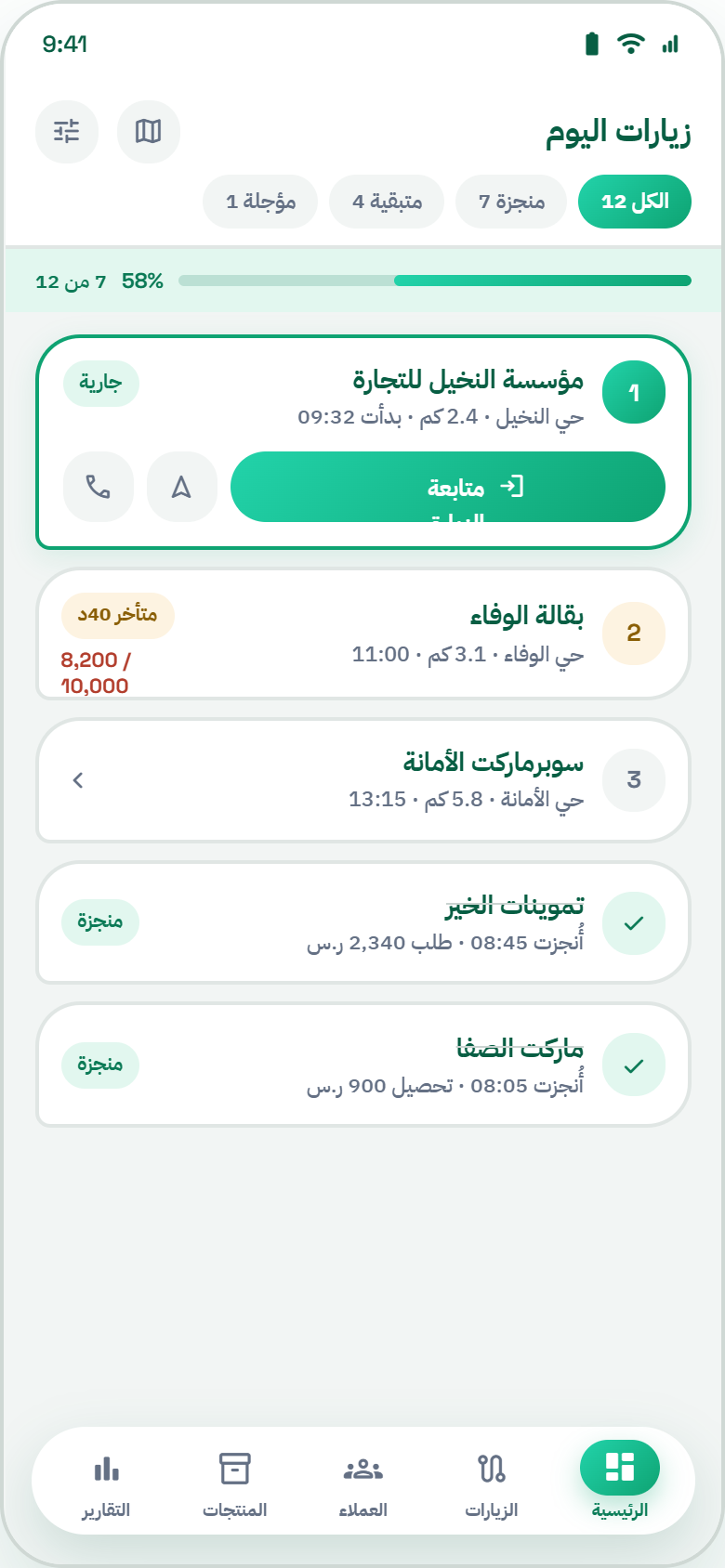
Territories, recurring visits, multiple stops, nearby customers and clear daily plans.
Order capture
Catalogs, price lists, promotions, discounts, templates and barcode entry.
Collections
Due invoices, promises to pay, matching, receipts and multiple payment methods.
Delivery and returns
Quantities, reasons, photos, signatures, proof of delivery and daily settlement.
Offline mobile
Save essential work locally and synchronize automatically when connection returns.
Commercial policies
Credit limits, customer pricing, promotions and approval paths.
Targets and dashboards
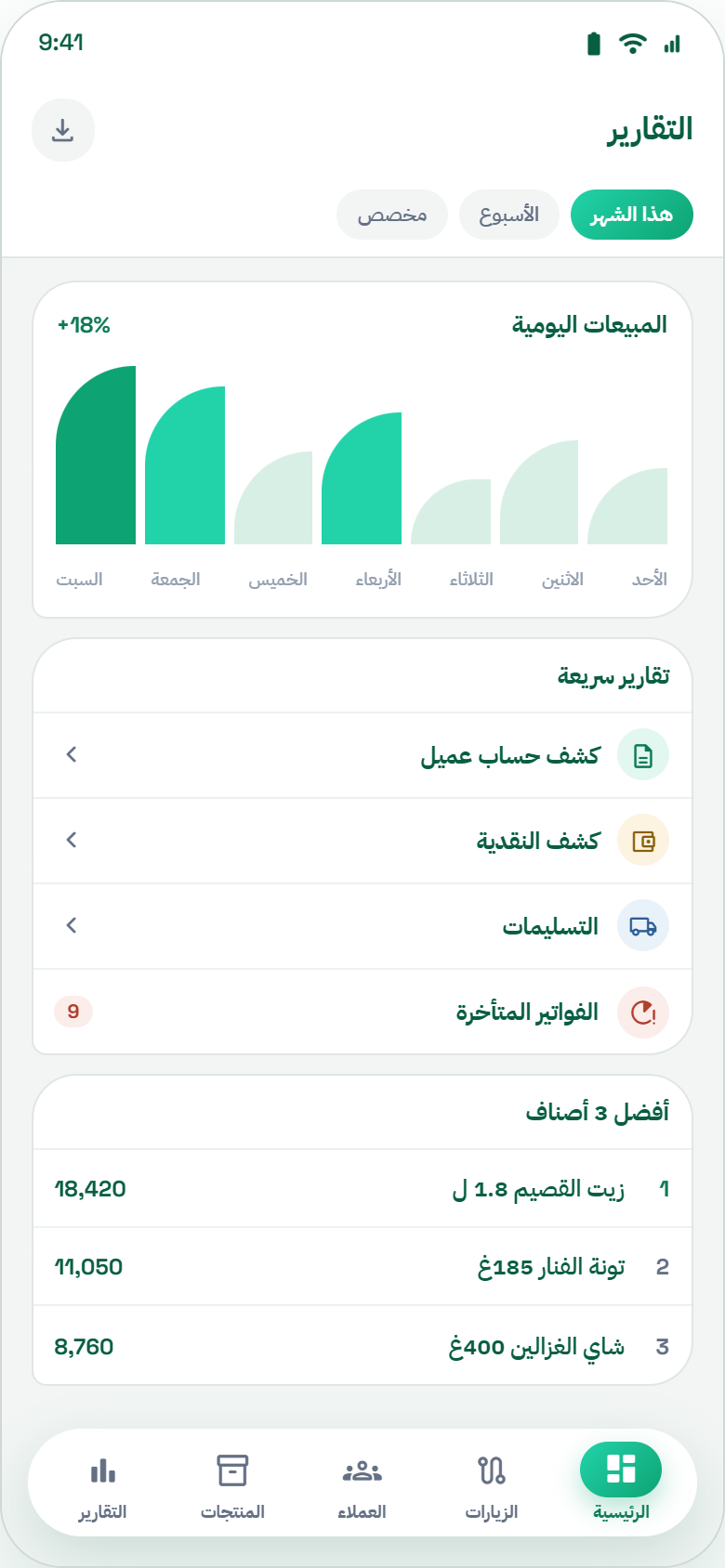
Sales, collections, coverage, productivity, receivables and target progress.
Geo attendance
Check-in, check-out, GPS, geofencing, timestamps, mileage and trip history.
Alerts and workflow
Visits, tasks, approvals, credit, collections and operational exceptions.
SEE HOW THE DAY FLOWS
Start with the next useful action.
CUSTOMER CONTEXT
Walk into the visit informed.
Keep customer details close to the visit. Review the information available to your account, then continue into the relevant sales or collection workflow.
Explore this workflow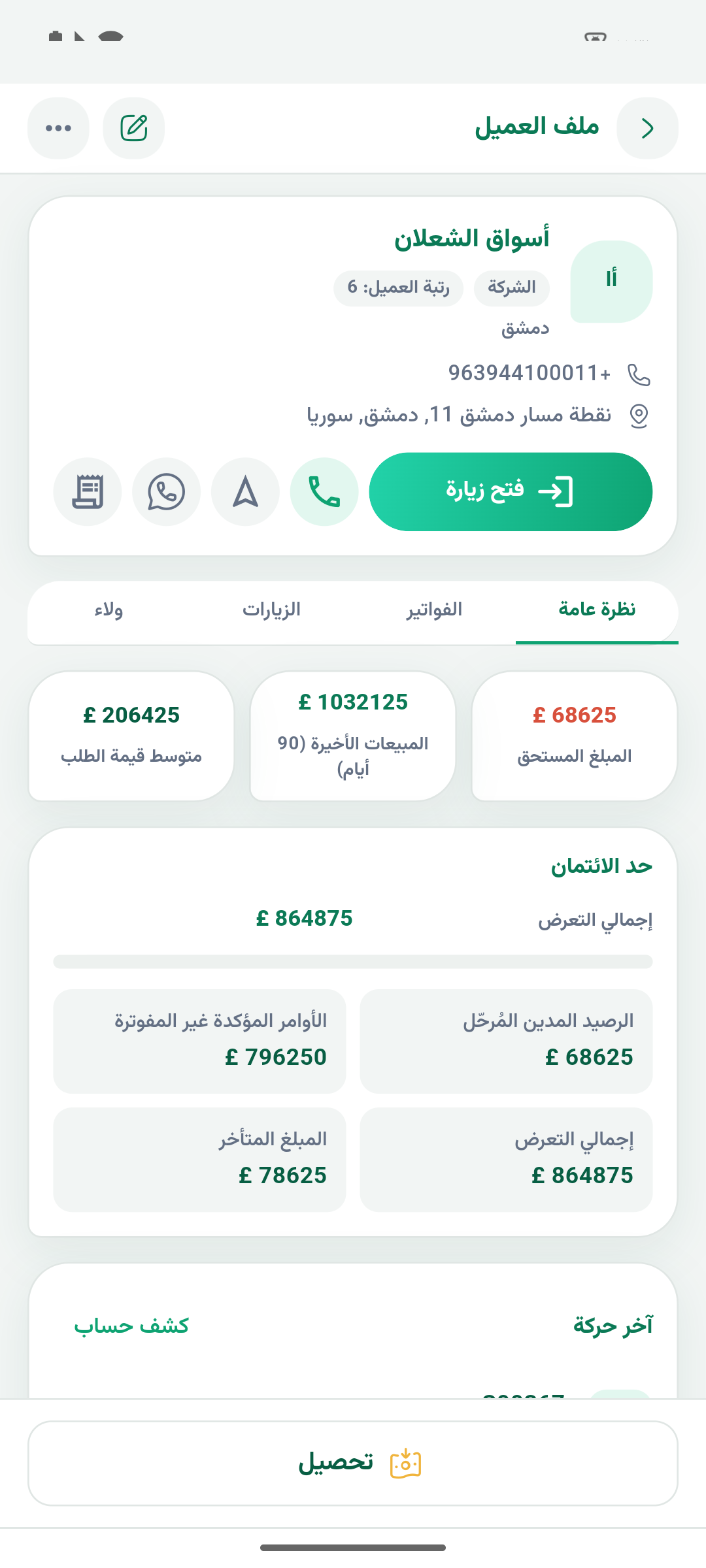
CUSTOMER MAP & ROUTE PLANNING
See your coverage.
Plan the next visit.
View customers on the map, narrow your selection by region, route or team, and move from geographic coverage to route planning.
Explore visits and routes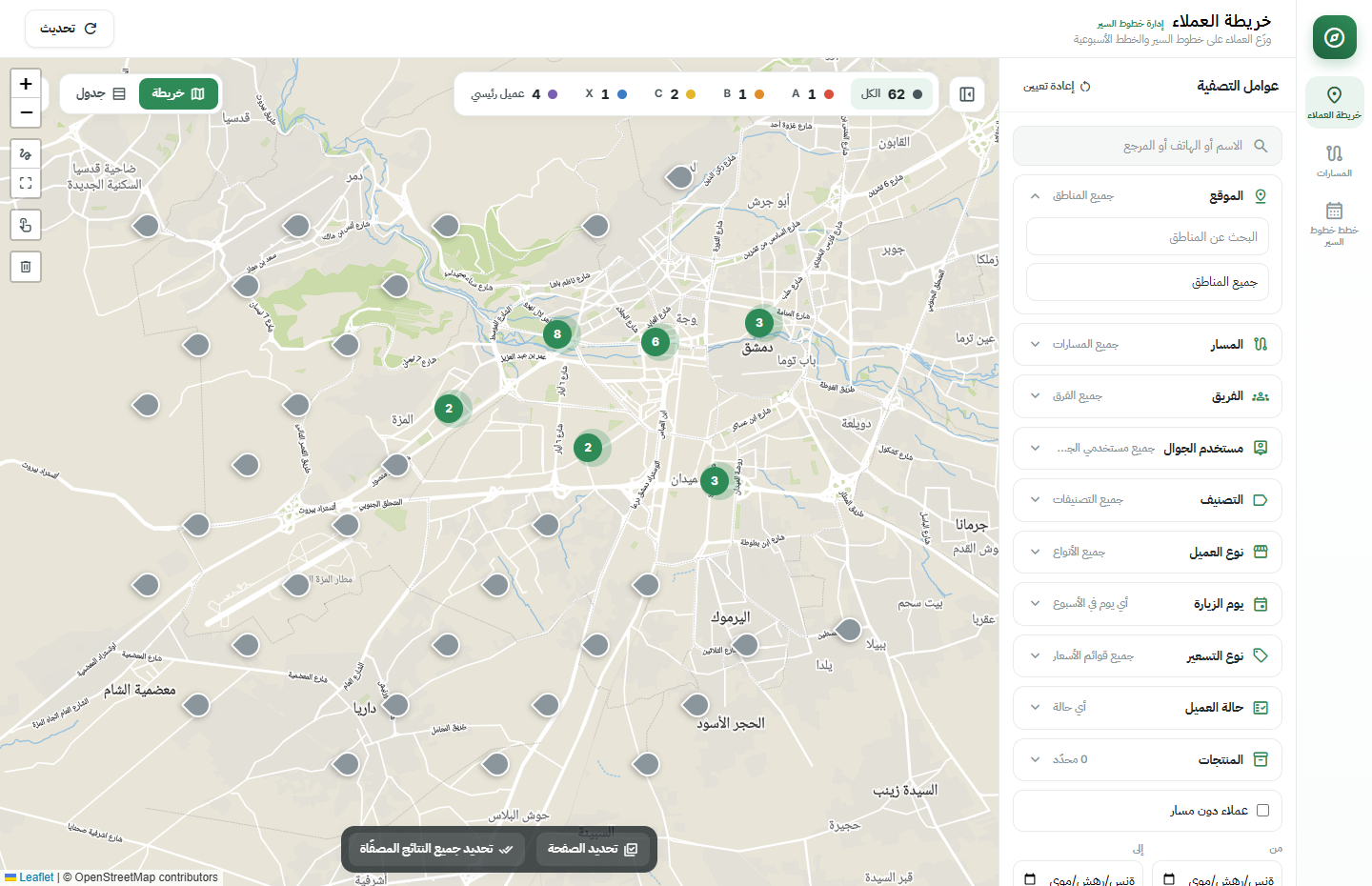
OFFLINE & SYNC
Know what is saved. Know what is shared.
Follow the status of locally saved work and its synchronization. Offline availability depends on the operation and the data prepared for your team.
Explore this workflow
COLLECTIONS
Put the payment in its customer context.
Bring due invoices and collection activity into the field conversation, with document actions governed by your permissions and accounting workflow.
Explore this workflow
DELIVERY & RETURNS
Keep the handover part of the story.
Connect the customer visit with the delivery steps your business enables. Review quantities and document status before moving to the next stop.
Explore this workflow
REPORTS & FOLLOW-UP
A clearer answer to: how are we doing?
Move from a broad question to a focused report. Explore the reports available to your role and keep the customer, period and activity in context.
Explore this workflow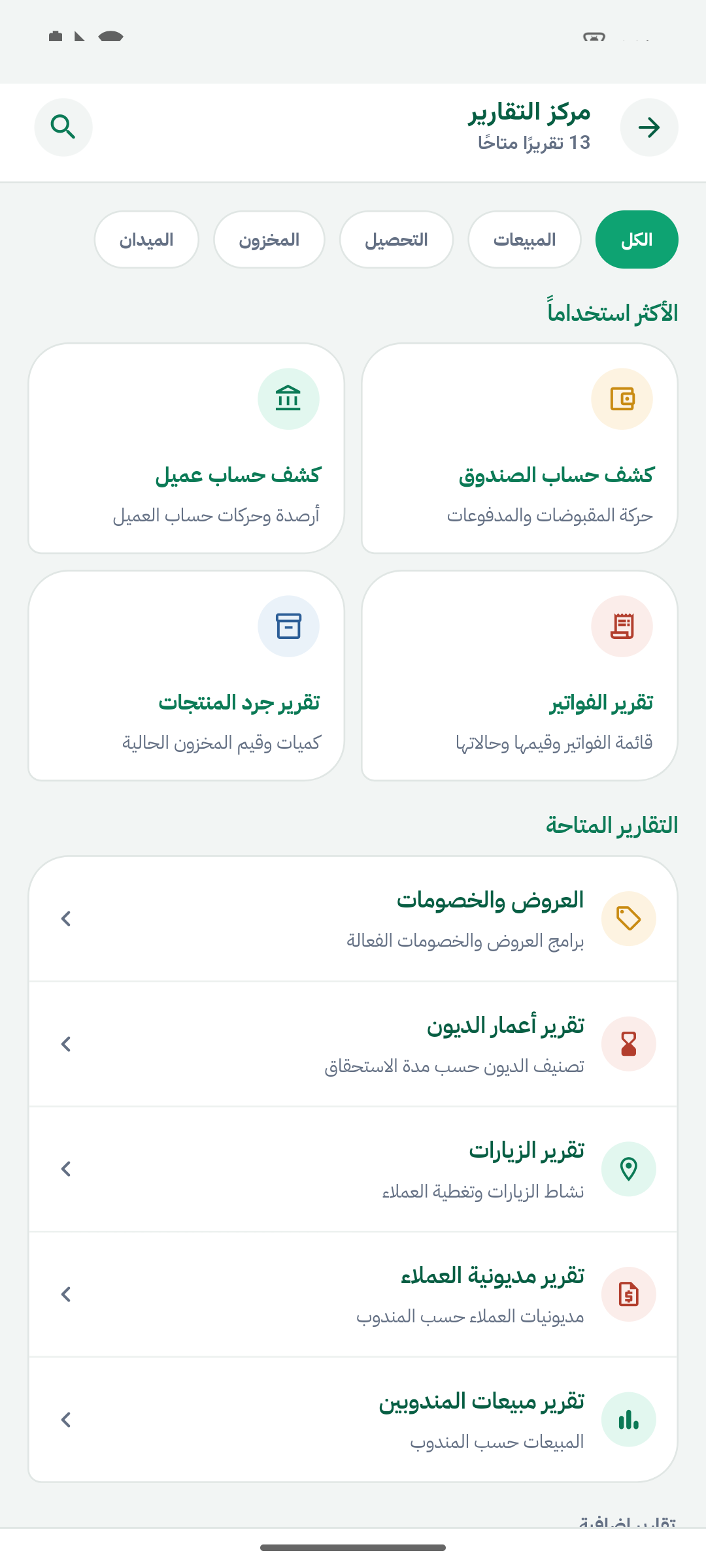
MEYDARA ASSISTANT
Keep the question close to the work.
Explore an assistant experience alongside your customer and field workflows. Review the available capabilities and how access is configured for your business.
Meet the assistantContext. Questions. Next steps.
Explore the capabilities for your teamBUILT AROUND YOUR BUSINESS
Different teams. A shared customer journey.
MEYDARA + ODOO
The field is part of your business system.
Customers, products and business documents need a shared context. Discover what the connection covers, how access is scoped and what your team needs to prepare.
Understand the Odoo connectionTHE MANAGEMENT VIEW IN ODOO
From field activity
to a clearer business picture.
Review sales, invoiced amounts, collections and orders in one dashboard. Change the reporting period, refine the filters and move between charts and detailed tables.
Explore reports and dashboards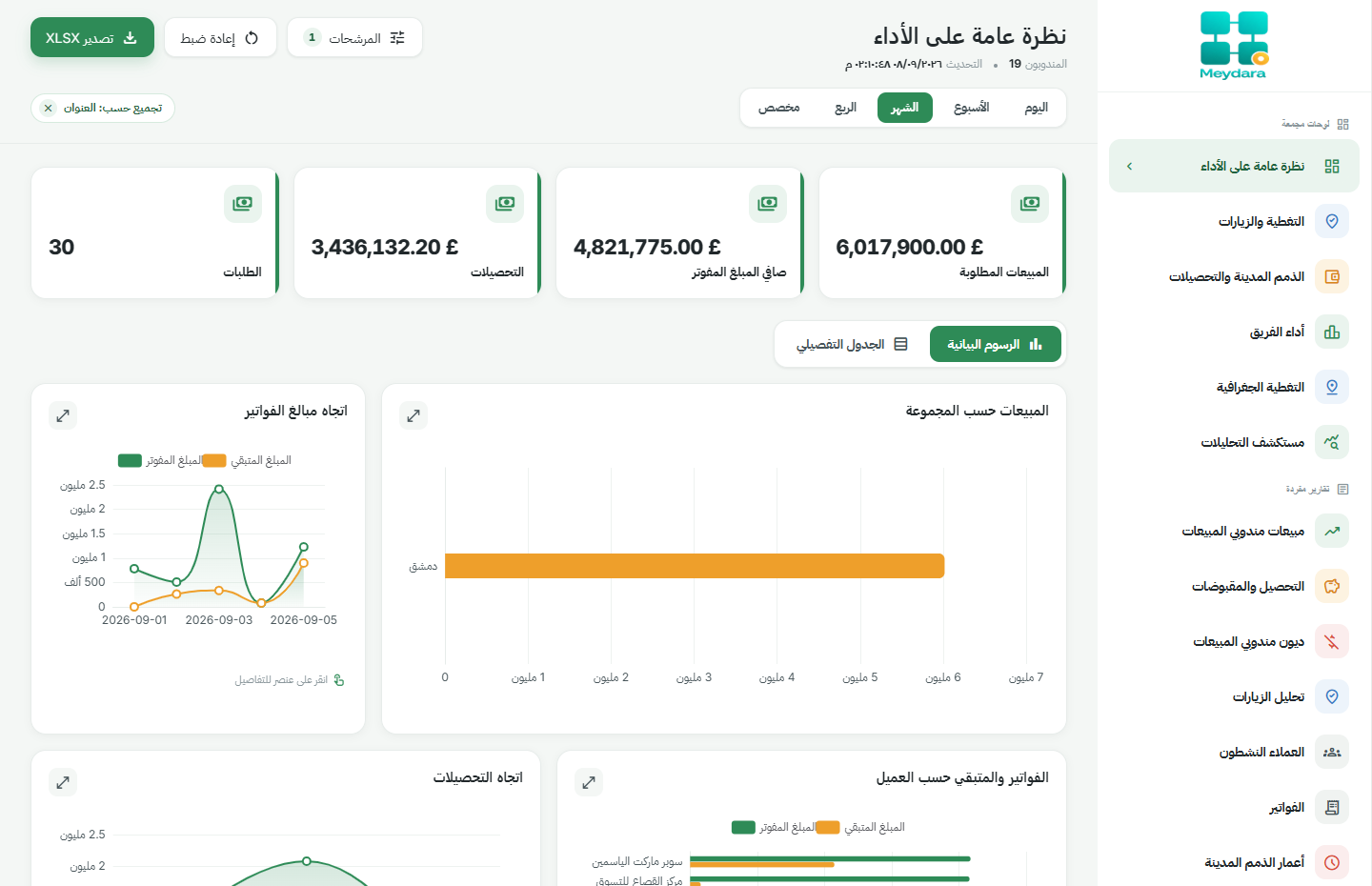
QUESTIONS, ANSWERED
Before you take
the next step.
Does Meydara work with Odoo?
Meydara is designed around field workflows connected to Odoo. The presentation covers your version, installed modules, data and access requirements.
Can my team work without a connection?
Offline behavior varies by operation and prepared data. We review saving, synchronization and operations that require a connection for your workflow.
Is the application available in Arabic?
The product tour shows the Arabic application. We review your language and device requirements during setup.
How is pricing determined?
The scope depends on your users, business workflows and integration needs. Request a proposal built around those requirements.
What should I prepare for a presentation?
Tell us about your field team, Odoo environment and the workflow you want to improve. We use that context to focus the presentation.
LET'S TALK ABOUT YOUR FIELD TEAM